Nov
13
2012
Wall Mount Rack.
I had to move some servers out of some leased space and mount them on the wall. We ended up using rack shelves as wall mount brackets. Worked out great!
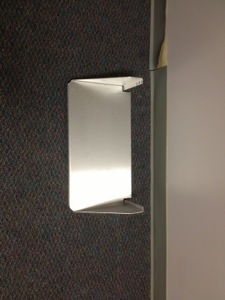
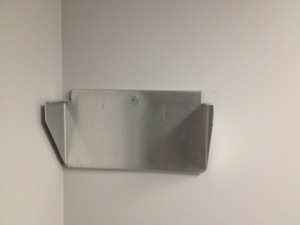
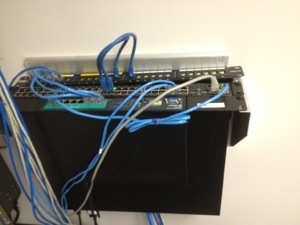
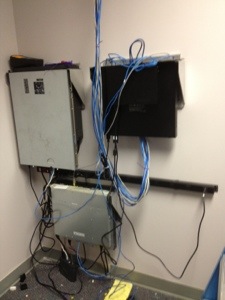
I had to move some servers out of some leased space and mount them on the wall. We ended up using rack shelves as wall mount brackets. Worked out great!
First you will need to order a HP-1505n printer board.
Description: Formatter Ass’y, LJ P1505n, Rfb
Once that arrives the project can begin.
Remove the left side of the printer / from facing from the front.

Remove the screw that holds the side on.. This is located on the back of the printer.

Use a small flat screwdriver and gently pop the bottom and back and top.

Pop back side then top

Remove usb Printer Board. there are 4 silver screws.
un plug the ribbon cable from the printer. the ribbon will stay connected to the printer board.

now for the hard part.. this may not be reversible once done unless you are very very good at soldering. pick up the ribbon cable and bend back and forth or take a razor blade and cut it off as close to the printer board as you can. you will need as much of the cable as possible. We will modify this (in the next step) to work on the new HP-P1505 N printer board.

Ribbon Modification.. Take a razor blade or knife and scrape off only one side and it must be the same side as the one that plugs into the board on the printer. See photo. Do not take off the wires and be carful not to pull the wires out.. They may slide. take a Sharp Scissors and trim the end flat.

Now one side you have a 1/4 inch of bare wires on each end.

Printer board mount modifications.
this photos shows what it looks like once you remove the printer board. You will need to modify this mount so that the Ethernet port on your new printer board will fit.

take and make a cut about 1/2 inch in and bend that part back. Test your Printer board to see if it will fit. If it dose mount in place. Place all 4 screws back in.

place ribbon cable back in place on main board and plug in to new printer board.

You have now installed your HP-1505n printer board.
Plug in power and ether net. Turn on and once printer has booted hold down the green paper button on the top and it will print out what IP address your new printer has. if all went well you will get a ip address.. one last step. Turn off unit. and put side back on.

Replace side cover placing the front of the cover on first then working backwards. then replace the back screw. Now you have a HP -1505n

Congratulations you now have a network printer..
I built a stand for my macbook. It works great.. Here are some photos